Knowledge Base Article
How to Set Up Event Registration
Event registration runs off your event record. One field on Event Details switches the public registration form on. Two more decide the window it accepts people in, and both of those are optional.
What Turns Registration On
They sit together in the registration card on Event Details:
- Event's Current Status - set it to Registration Open. This is the one that turns the form on.
- Open Registration Date - when the form starts accepting people. Optional.
- Close Registration Date - when it stops. Optional.
The two dates work as a pair, and only as a pair. Fill in both and the form accepts registrations only between them, judged in the event's own time zone rather than in yours. Leave either one blank and no date window is applied at all, so the form is open on the status alone.
That is worth reading twice, because it catches people out in the direction nobody checks. Setting Open Registration Date to a future date and leaving Close Registration Date blank does not hold the form back until that date. It is accepting registrations now. If you want registration to start on a particular day, set both dates.
If your form is not appearing, check the status first. Two other things close a form that otherwise looks set up correctly: reaching Max Number of Guests, and a portal event, which never uses this public form.

All three sit together in the registration card.
Capacity
Set Max Number of Guests on Event Details. It takes a whole number up to 999,999, and Argenta rejects anything that is not a valid number. When an event fills up, the Wait List page in the event workspace is where the overflow goes.

Max Number of Guests is your capacity.
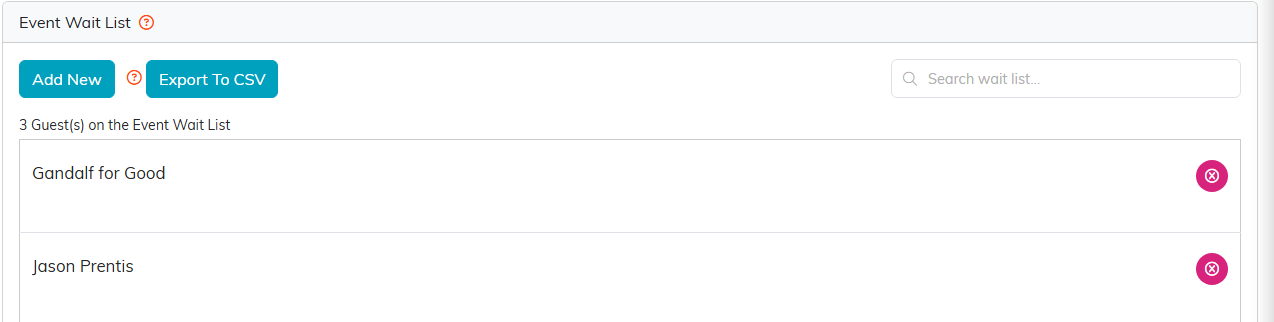
Once the event fills, the overflow goes on the Wait List.
Designing the Public Form
The Public Form Design page in the event workspace controls how the registration form looks to the outside world. See How To Design Your Public Event Ticket Sales Form.

Public Form Design controls how the form looks.
Paid Registration and Ticket Types
If you are charging, ticket types are set up through Event Ticket Sales rather than on the event record. Each ticket type carries its own price and can carry an admit window limiting which day it is valid for, which is what makes multi-day events work. Full detail is in How To Sell Tickets to an Event in Argenta.
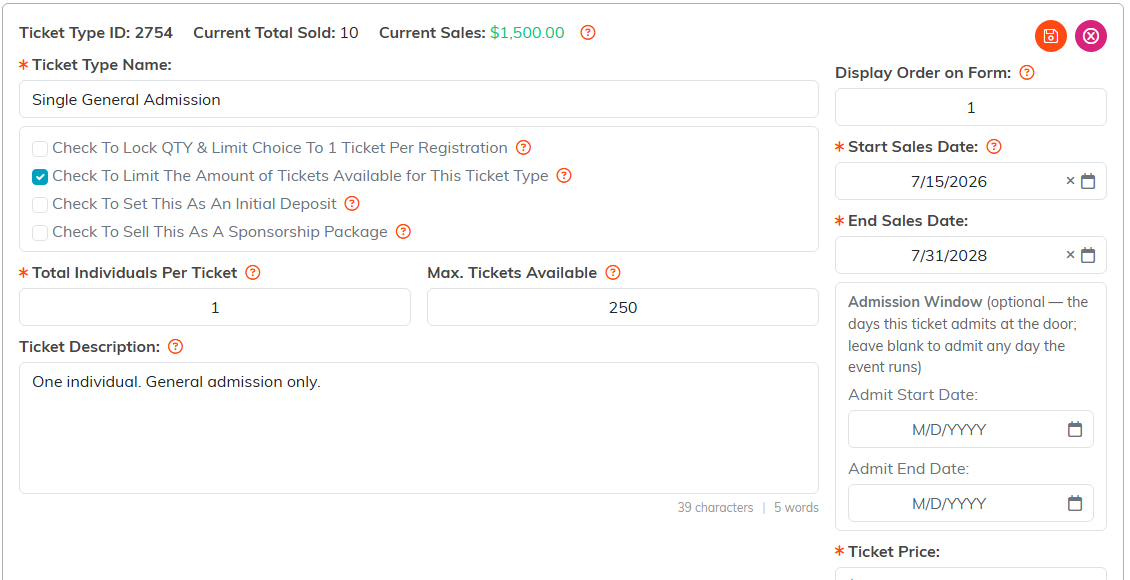
Each ticket type carries its own price and admit window.
Every paid order also produces scannable QR tickets automatically, one per admitted guest. See QR Ticketing and Phone Check-In for Events.
Closing Registration Early
To stop taking registrations before the date you set, see How To Close an Event for Public Registration and Ticket Sales.