Knowledge Base Article
Unfulfilled Volunteer Tasks in Argenta
A volunteer shift that nobody covered is marked Unfulfilled, and Argenta does most of that for you. Once a task's end date and time has passed, it closes overnight, and if no volunteer was ever assigned to it, it is flagged Unfulfilled at the same time. You can also set the This Task Was Unfulfilled tick yourself, which is how you record a shift that had somebody assigned but still went uncovered. On the Volunteer Tasks page either way shows a red Unfulfilled! marker.
Unfulfilled hours are not counted as volunteer hours. Total Volunteer Hours on the task list adds up covered shifts only, and shows the hours it left out in red beside the total.
Show only the shifts nobody covered
- Open the Volunteer Tasks page and click Filter Volunteer Tasks to open the filter panel.
- Set Shift Coverage to Unfulfilled Only.
- Click Apply Filter.

Step 2. Shift Coverage has three settings. Unfulfilled Only leaves just the shifts nobody worked.
The list now holds only unfulfilled shifts, each carrying the red Unfulfilled! marker.
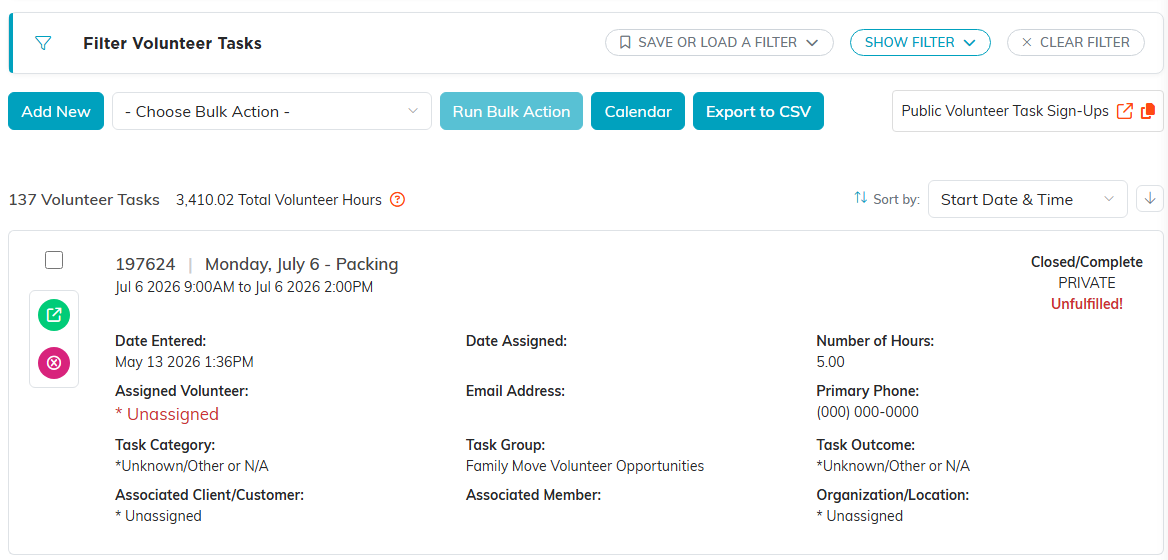
The result.
The other two settings
Covered & Unfulfilled is the default and leaves the list as it is. Covered Only drops the shifts nobody worked, so you are looking at the shifts that were actually served.