Knowledge Base Article
How to Plan and Track a Campaign's Budget and Financials
Budget & Financials puts what a campaign planned next to what really happened: the expenses and income you expect, and the expenses and income actually recorded against it.
Open Budget & Financials
Open the campaign and click Budget & Financials in the workspace menu. Four cards sit across the top, each with its total and how many items make it up. Click a card to open its screen.
Below them, the Financial Summary sets income against expenses and works out the campaign's net income. Print to PDF gives you a copy to share.
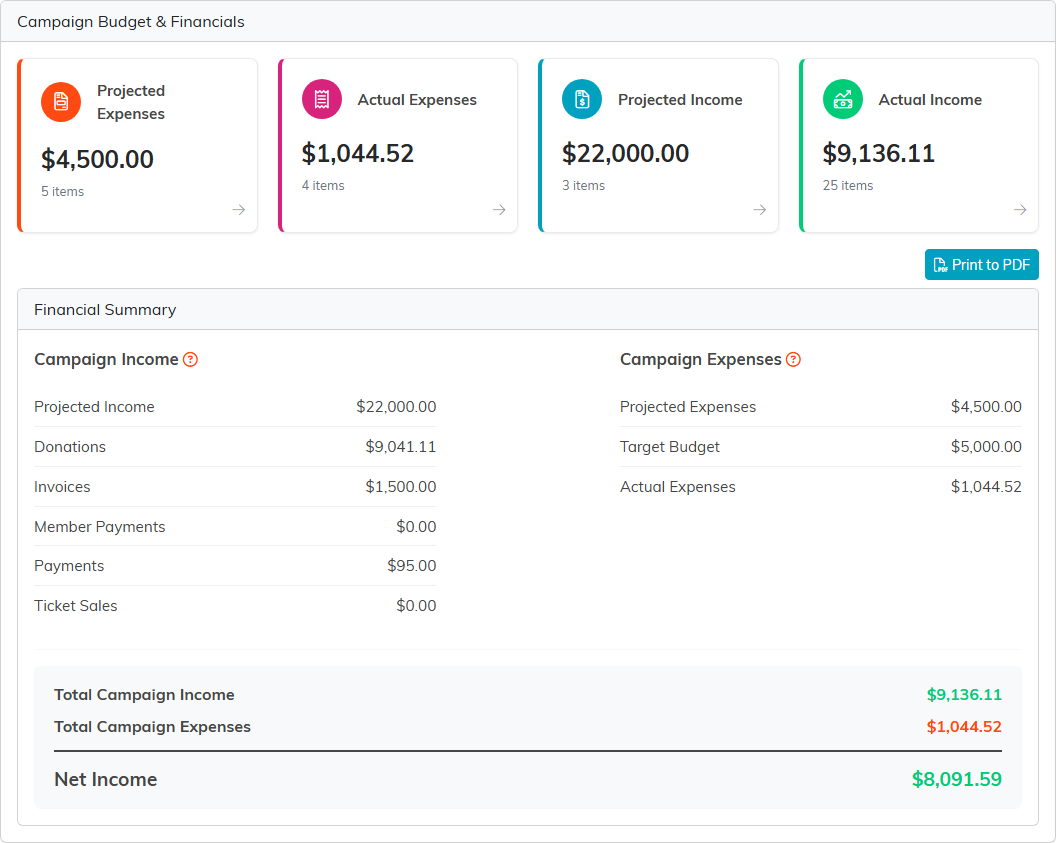
The four cards, and the summary to print when someone asks how the campaign did.
Projected Expenses
What you expect to spend.
- Target Budget is the most you mean to spend. It saves as soon as you change it.
- Click Add New, enter the Cost, an Expense Name and a Description, and click Save.
- Change any line in place, then click its orange save icon, or Save All to save every line at once. The pink icon removes a line.
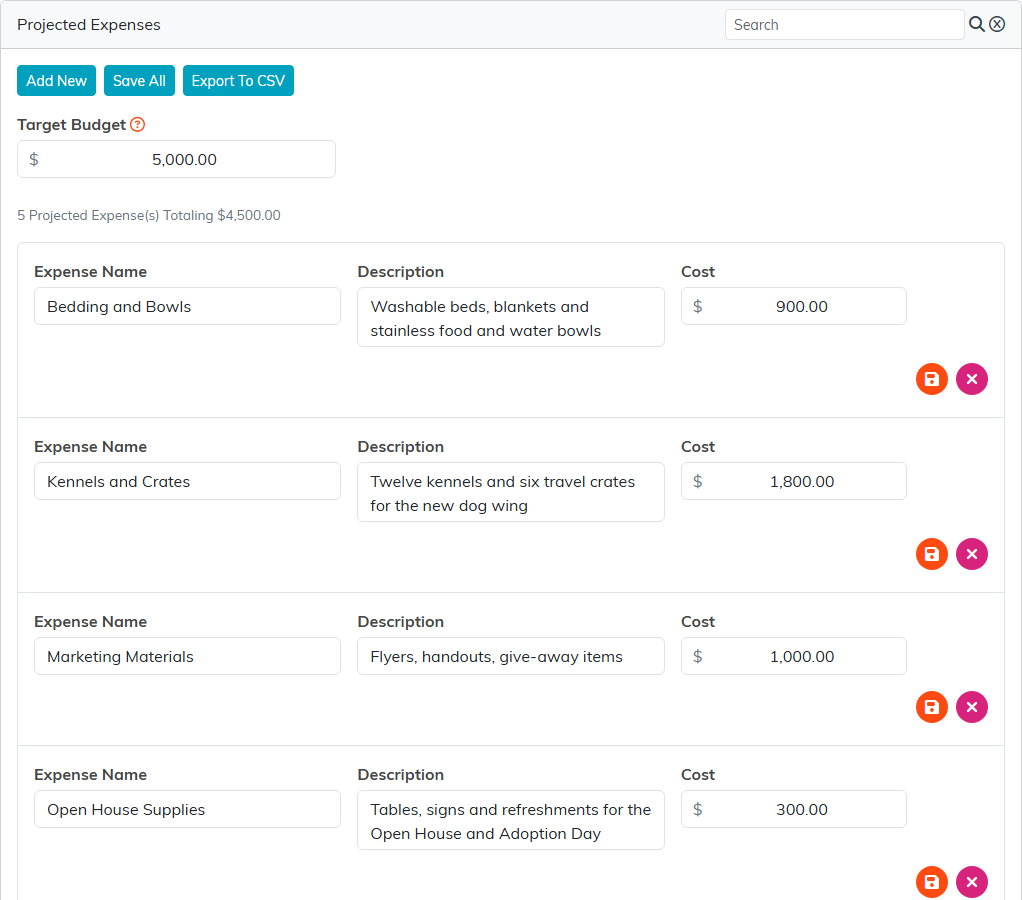
The plan: a target budget and the lines that make it up.
Actual Expenses
Every expense recorded against this campaign, with its date, payee, category, amount and account. You don't type them here: an expense joins this list when its Related Campaign is set to this campaign on the expense's Connections page. Click an ID to open the expense. The broken-link icon takes an expense off the campaign without deleting it.
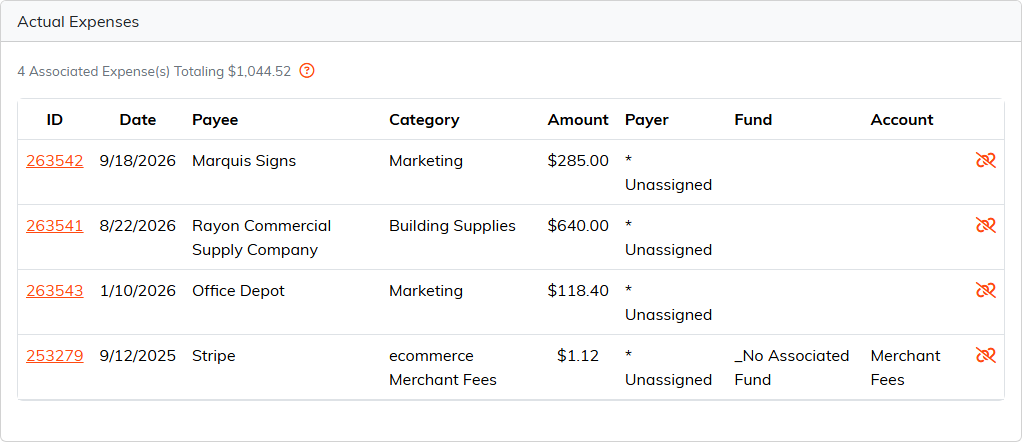
Expenses arrive here from the expense records themselves.
Projected Income
What you expect to bring in. Click Add New, enter the Amount, the Income Source and a Description, and click Save. Lines are changed and saved the same way as projected expenses. The total of projected income is the campaign's fundraising goal on Analytics & Metrics.
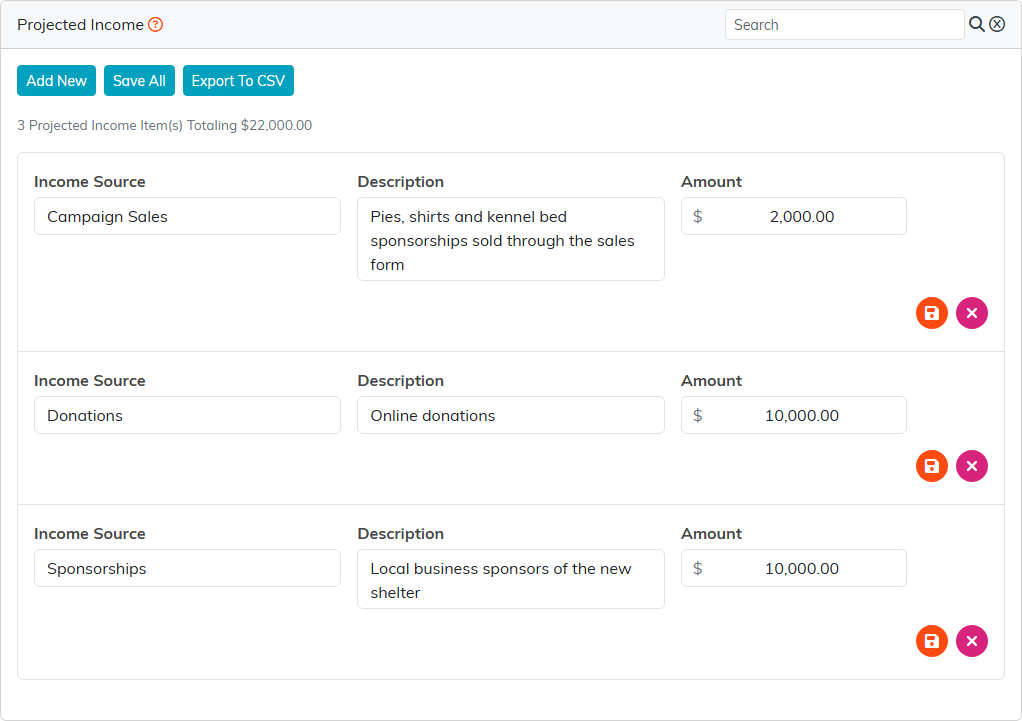
The income you expect, by source.
Actual Income
Everything the campaign has really brought in, collected for you: donations, invoices, member payments, payments and ticket sales tied to this campaign, each listed with its own total. Click an ID to open the record. Export To CSV downloads the lists.
Invoices are listed but not added into the total, because the payment that settles an invoice is what counts.
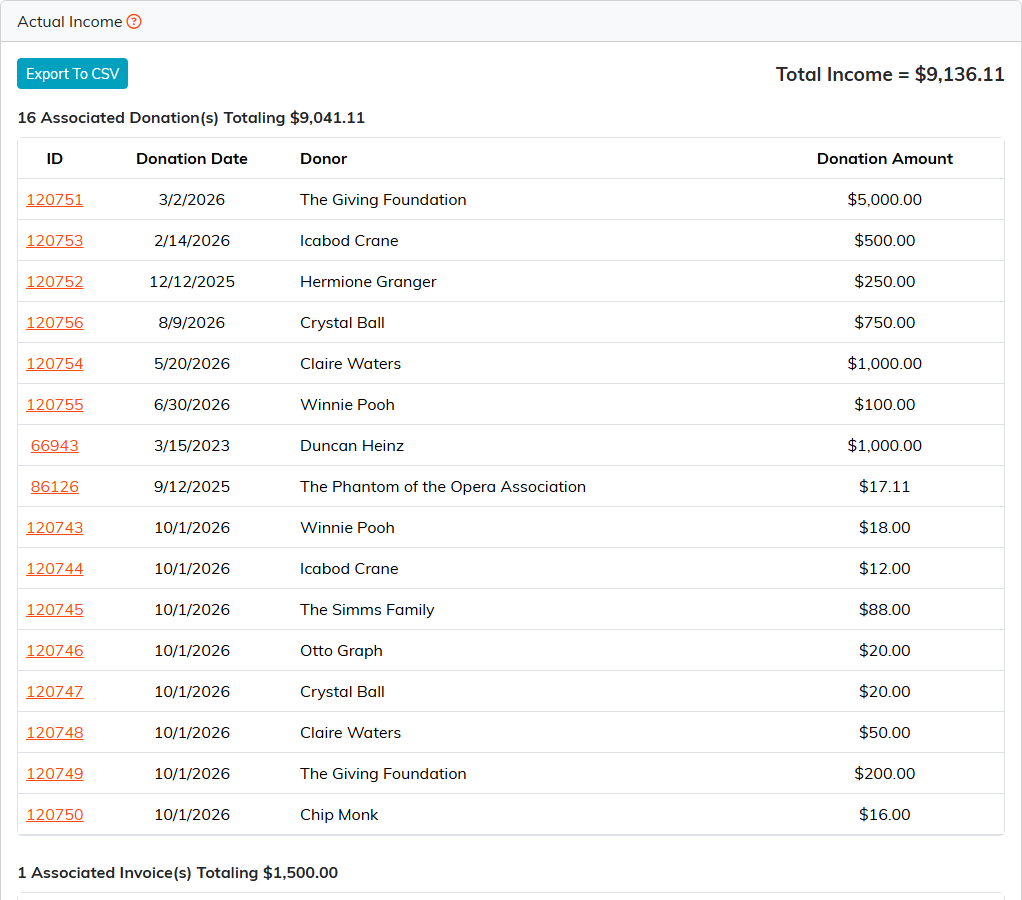
Every gift and payment tied to the campaign, collected automatically.
For a tour of every page in the Campaign Workspace, see Overview, Working with Campaigns.